

Slack just overrode your settings, activating AI features.
Previously they gave admins a heads up, but looks like this time they decided to ask for forgiveness rather than permission.
Here’s the full timeline and a comparison with how they previously did AI feature enablement:
The July 2025 update
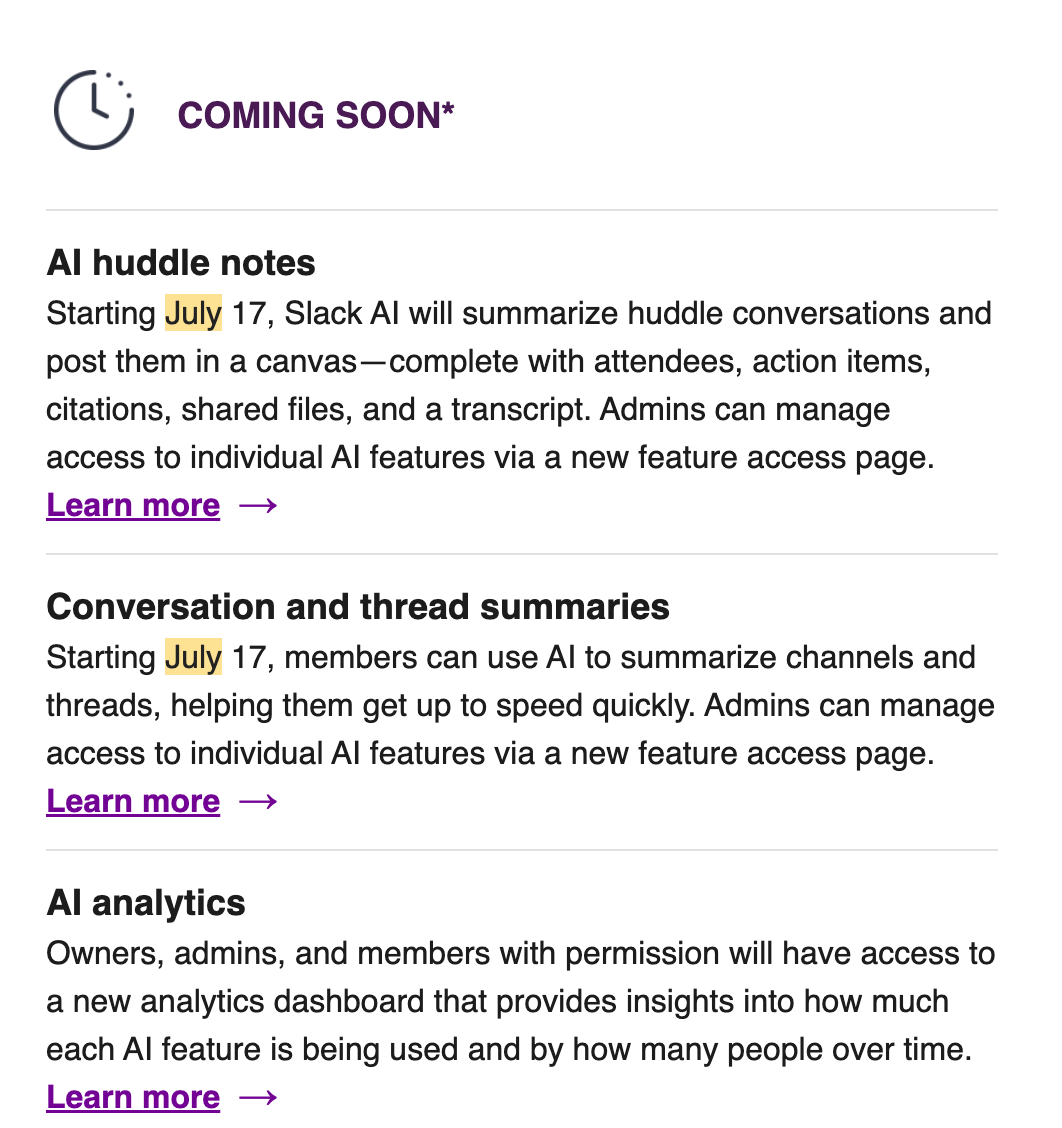
On July 8, 2025, I got a “July Admin Update” from Slack with the below:
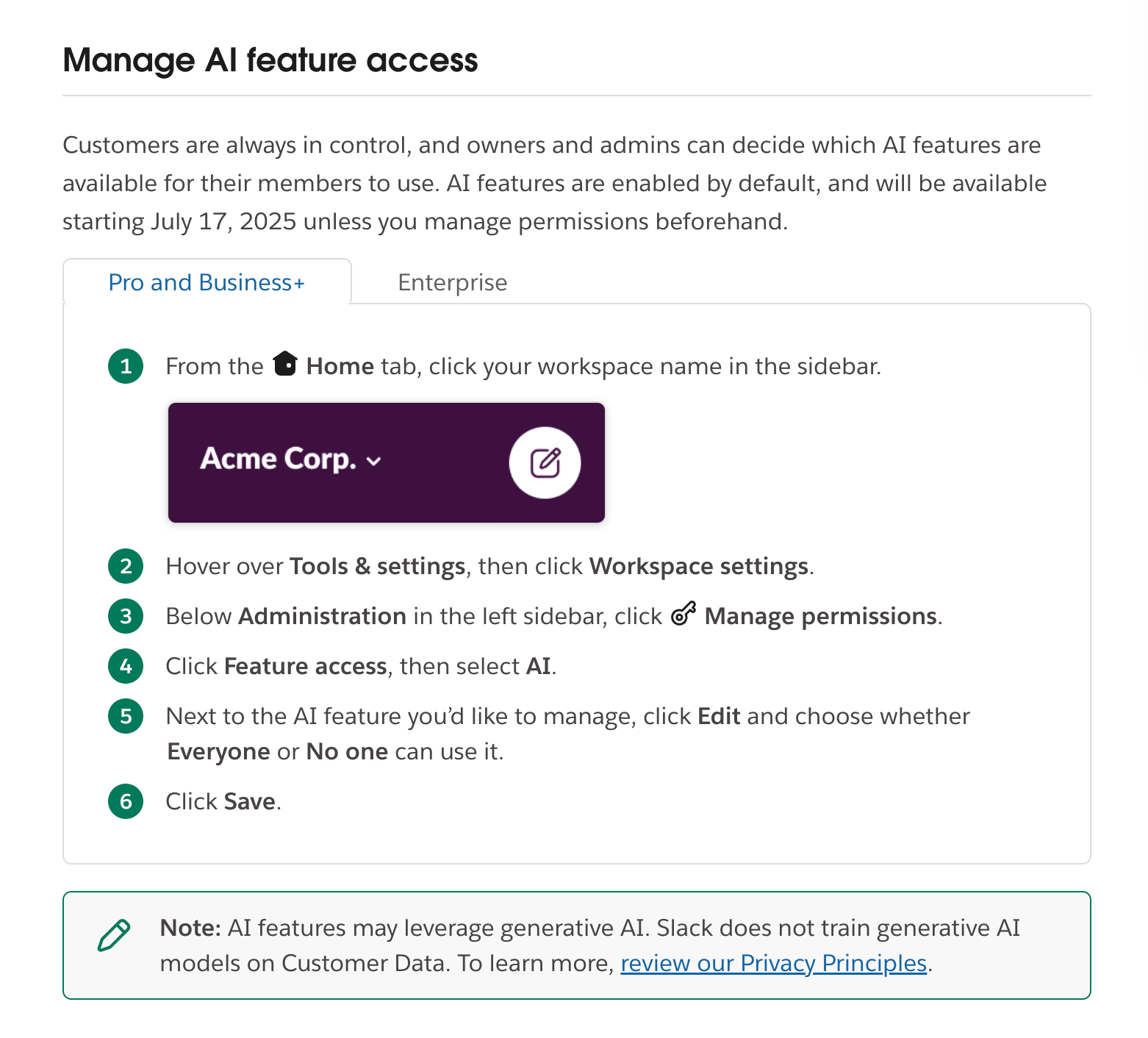
This linked to this page (now expired, but captured with Archive.org and with a screenshot below):
Based on this warning, I disabled the AI settings on this menu (and screenshotted it):
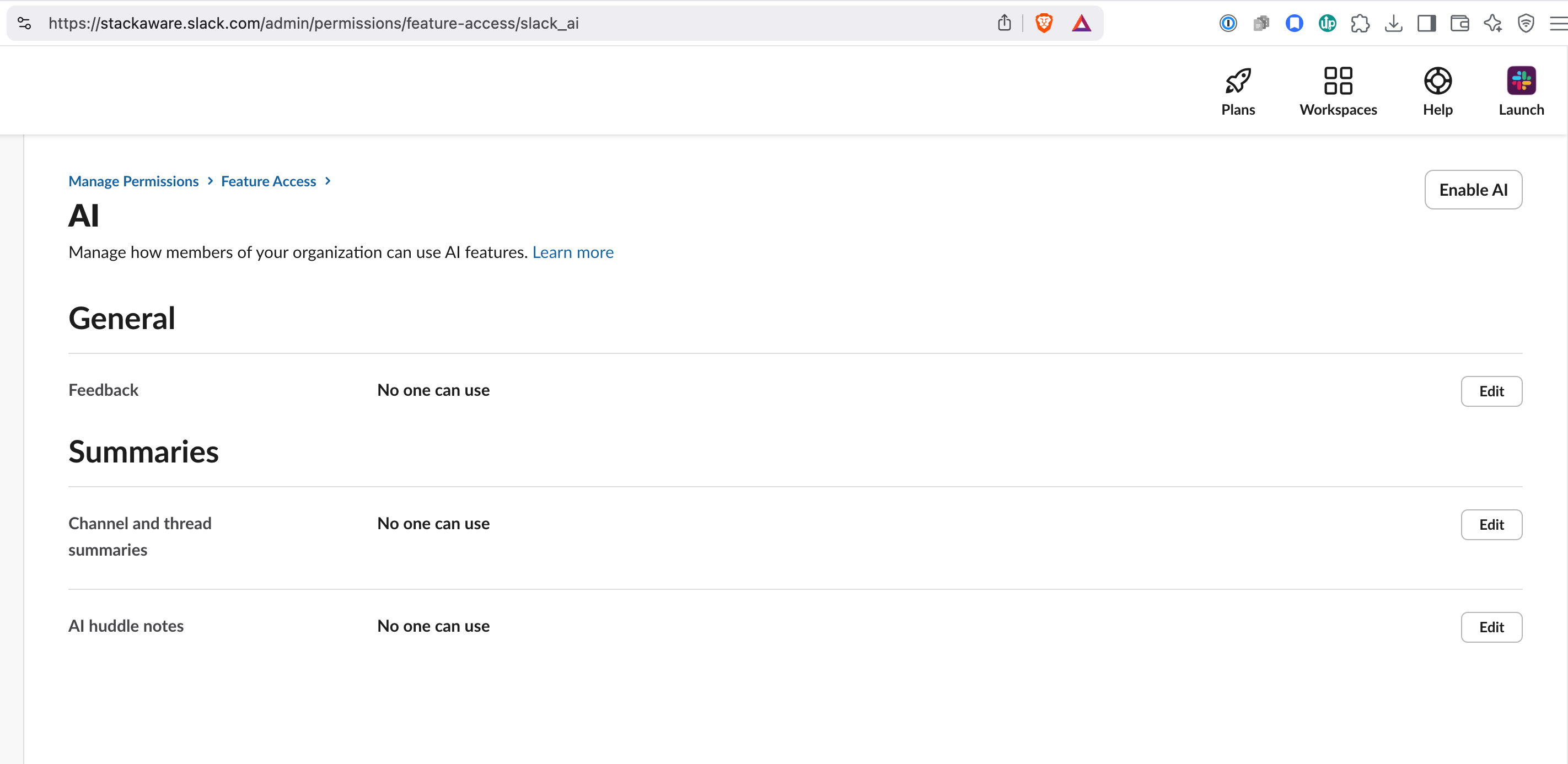
I wasn’t ready to roll out the AI features and didn’t need them, so turned them off.
March 2026 surprise
On March 12, I opened slack and saw this notification:
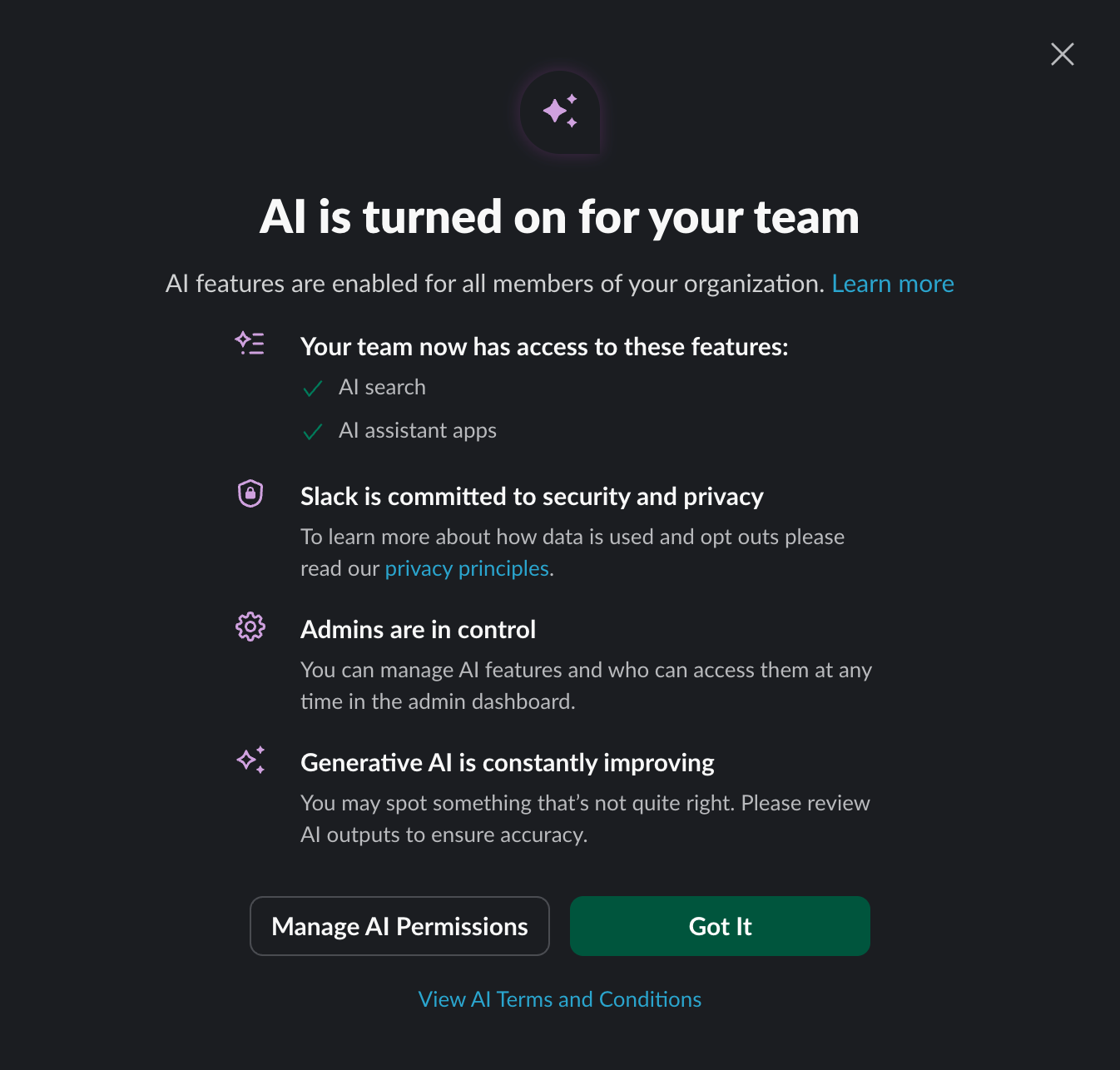
And when you navigate to the Admin menu, saw a new set of toggles. Originally “AI Search” and “AI filters (Beta)” were defaulted to “Everyone can use.”
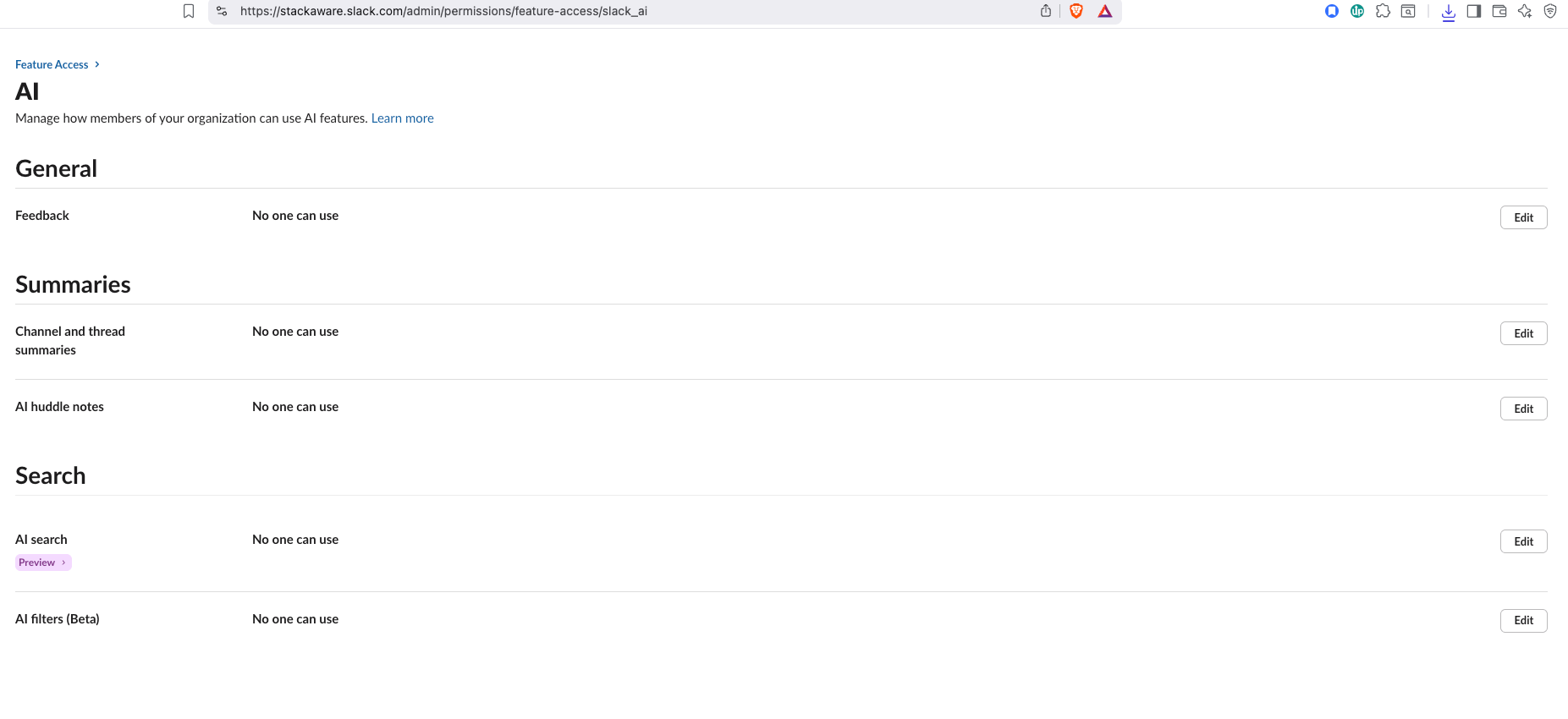
Because my position hadn’t changed about Slack AI, I turned them off. Even later on the 12th when trying to recreate this screen, it had already changed.
Concerned about the lack of heads up, I checked the “February Admin update” (sent February 11, 2026) and “March Admin update” (sent March 9, 2026) there was no mention of the coming AI feature activation.
AI is moving fast
I’m not an AI security alarmist, and this isn’t likely to change your data security posture.
But this likely violates ISO 42001 change control processes. The key requirements for here are from paragraph 8.1, requiring the organization to:
“control planned changes and review the consequences of unintended changes, taking action to mitigate any adverse effects, as necessary.
“ensure that externally provided processes, products or services that are relevant to the AI management system are controlled.”
And I’m not happy about the auto-enabling of “Preview” AI search and “Beta” AI filters.
I can also definitely tell you Admins are NOT in control (unless they go in and disable after the fact).
So going forward, I’m:
Tracking this event as a non-conformity.
Documenting “Auto-enabling of AI features” as a risk in my register.
Exploring ways to automatically monitor for the activation of AI features.